
User Guide
Research Chat
The conversational research surface for asking CaveauAI questions, choosing routing, using corpus context, and saving useful answers back into the workspace.
Hands-on workflow
- 1
Start with a clear question and leave Auto route on unless you know the request needs Fast or Deep.
- 2
Keep corpus enabled when you need citations from uploaded or connected material.
- 3
Use the source collection and research context controls to narrow broad work.
- 4
Save important answers back to Corpus when they should become reusable knowledge.
- 5
Use positive or negative feedback with corrections when an answer needs improvement.
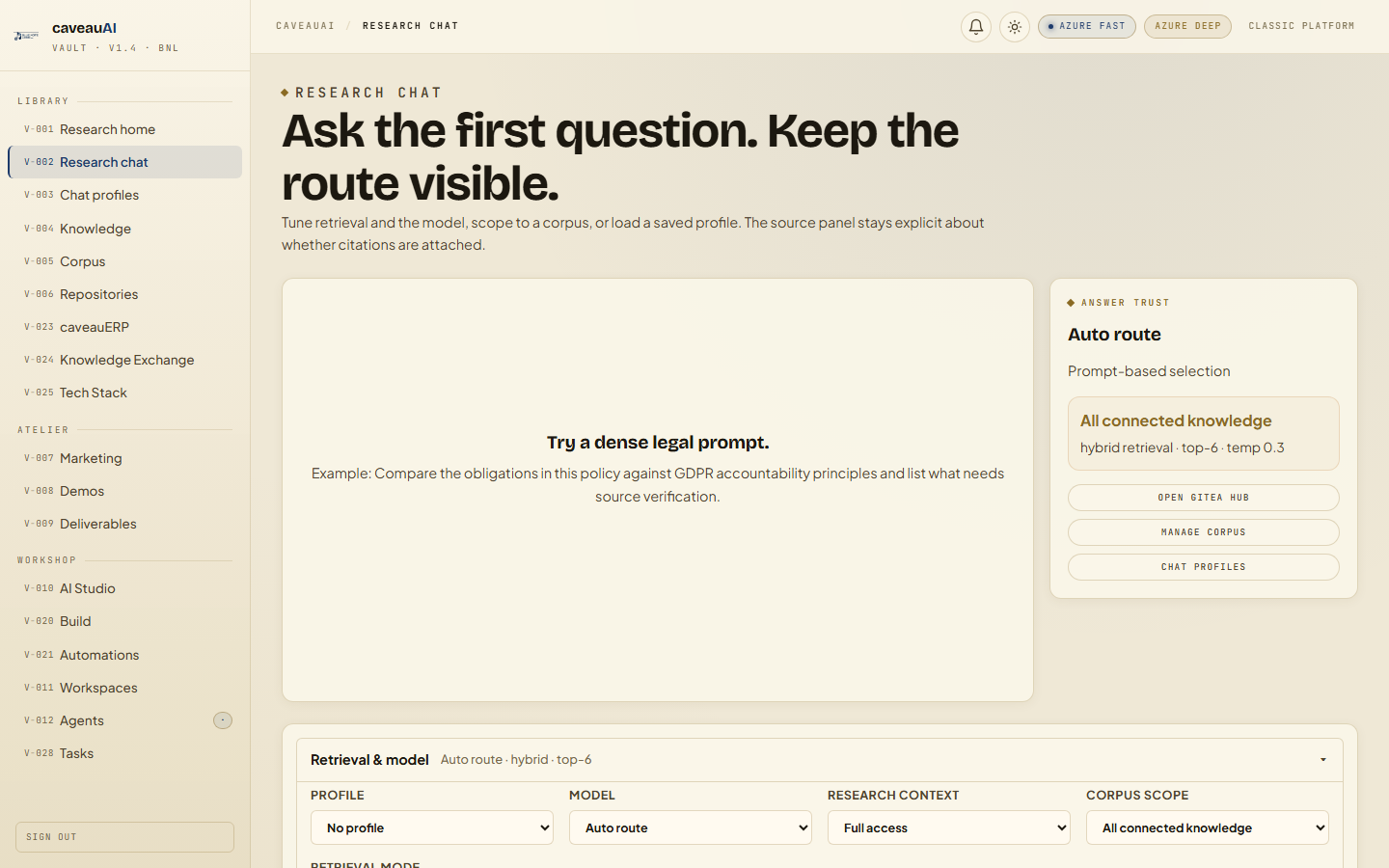
Tabs and sub-tabs
The page may expose these sub-areas. Use this list as the quick orientation map before writing internal SOPs.
Prompt threadRoute selectorCorpus toggleResearch contextFeedbackSave to corpus
Tips and common mistakes
- Ask for source verification when the answer must be auditable.
- Disable corpus only for brainstorming or BYOK model tests that should not use RAG.
- Long legal, policy, or comparison prompts are automatically treated as research work.