
User Guide
Corpus
The full knowledge command center for documents, folders, shared packages, forked corpora, websites, scrapers, stores, and document governance.
Hands-on workflow
- 1
Start on Overview to understand corpus health and document distribution.
- 2
Use Documents for search, filters, classification, trash, and document opening.
- 3
Use Folders and smart folders to group material and apply permissions.
- 4
Use Packages and My Corpora to fork curated knowledge and pull later updates.
- 5
Use Websites and Scrapers for recurring web ingestion.
- 6
Open a document detail page to inspect preview, passages, versions, access, audit, or metadata.
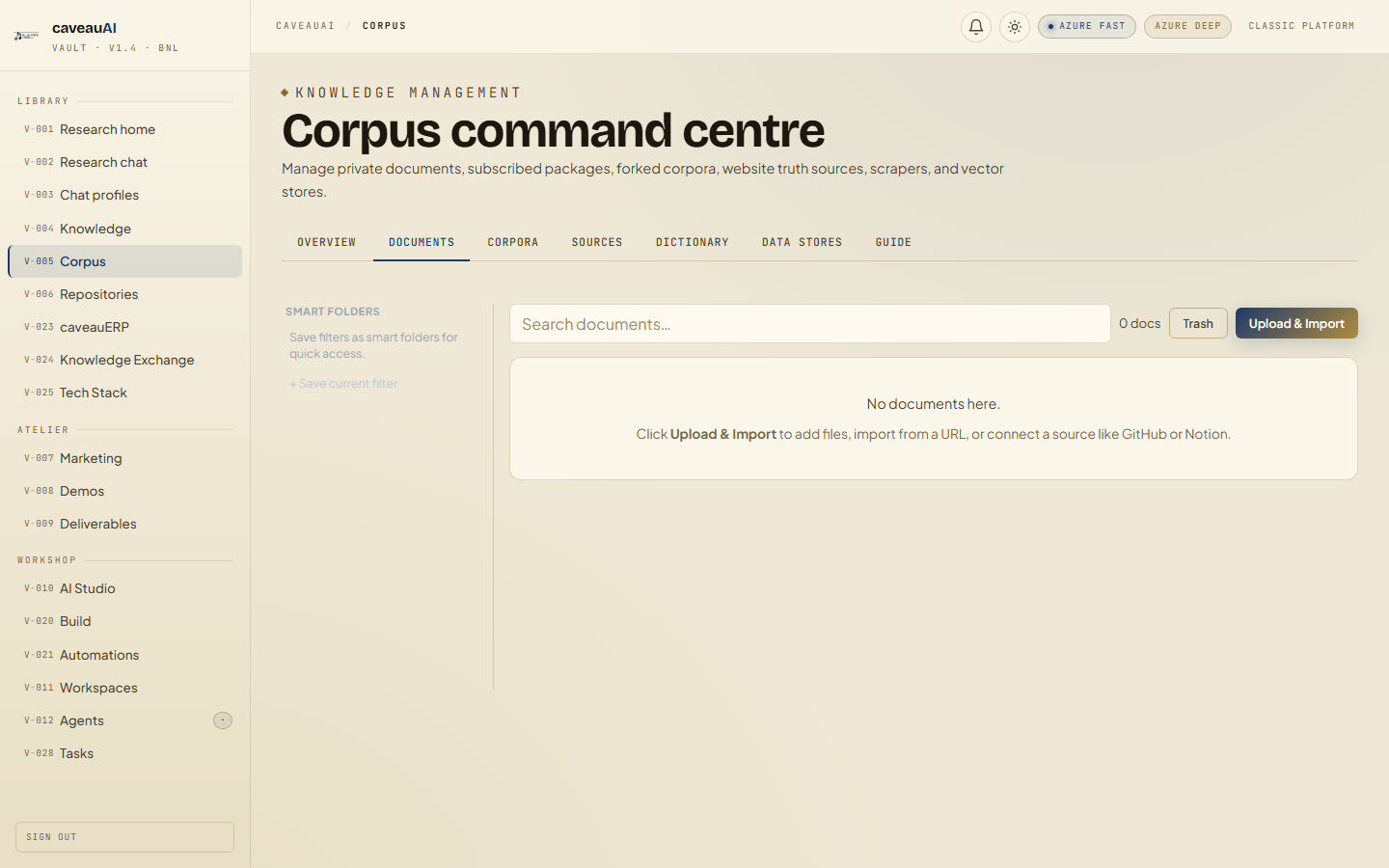
Tabs and sub-tabs
The page may expose these sub-areas. Use this list as the quick orientation map before writing internal SOPs.
OverviewDocumentsFoldersPackagesMy CorporaWebsitesScrapersData StoresGuideDocument detail: PreviewDocument detail: PassagesDocument detail: VersionsDocument detail: AccessDocument detail: AuditDocument detail: Edit
Tips and common mistakes
- Classify confidential material before exposing it through MCP or broad profiles.
- Use folders for access boundaries and tags/categories for retrieval filters.
- Check passages when Chat cannot find a document you expected it to use.