
User Guide
Research Home
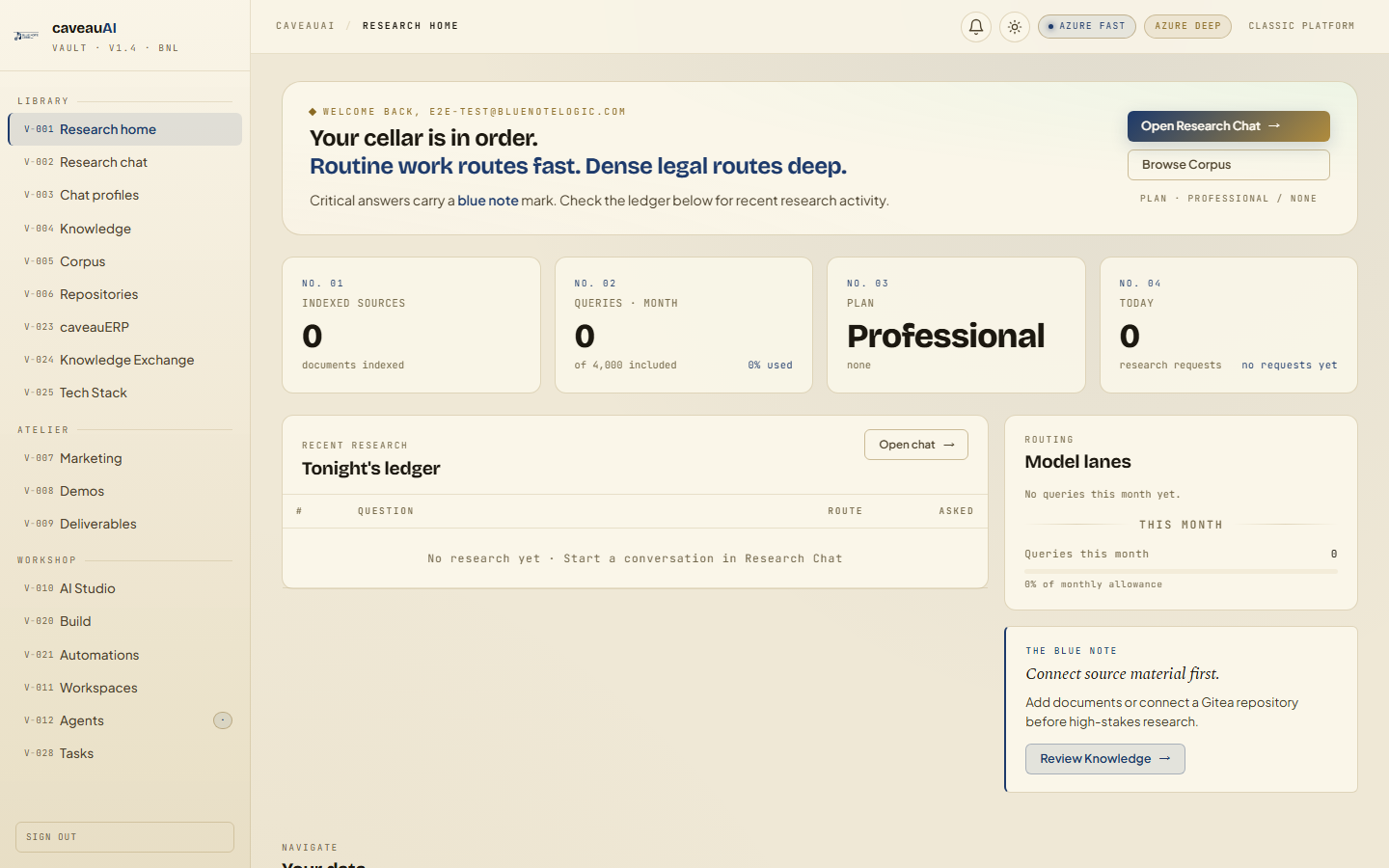
The command center for a CaveauAI workspace: plan status, document counts, query usage, model routing, and the next best places to continue work.
Hands-on workflow
- 1
Open Research home after sign-in and confirm the active plan and account status.
- 2
Check indexed source count before relying on source-grounded answers.
- 3
Review monthly query usage and today activity before a large research session.
- 4
Use the quick links to open Research Chat or Knowledge when the dashboard shows missing material.
Tabs and sub-tabs
The page may expose these sub-areas. Use this list as the quick orientation map before writing internal SOPs.
Welcome bannerKPI platesRecent answers ledgerModel lanesKnowledge note
Tips and common mistakes
- If indexed sources are zero, upload or connect material before expecting citations.
- Use the model lane meter as a rough signal, not an invoice-grade ledger.
- A quiet dashboard is normal for a newly provisioned workspace.