
User Guide
MCP and API
Hosted MCP, custom tools, retrieval profiles, tokens, activity, inspector, playground, and API integration guidance for connecting CaveauAI to external AI clients.
Hands-on workflow
- 1
Enable MCP for the workspace if the current plan supports it.
- 2
Create or choose a profile that scopes retrieval to the right corpora, categories, or tags.
- 3
Mint one token per client or agent and copy the plaintext value immediately.
- 4
Paste the provided config into Claude Desktop, Cursor, or another MCP host.
- 5
Use Tools to add webhook, search shortcut, prompt template, workflow, code, or scheduled tools.
- 6
Use Activity and Inspector to debug real calls.
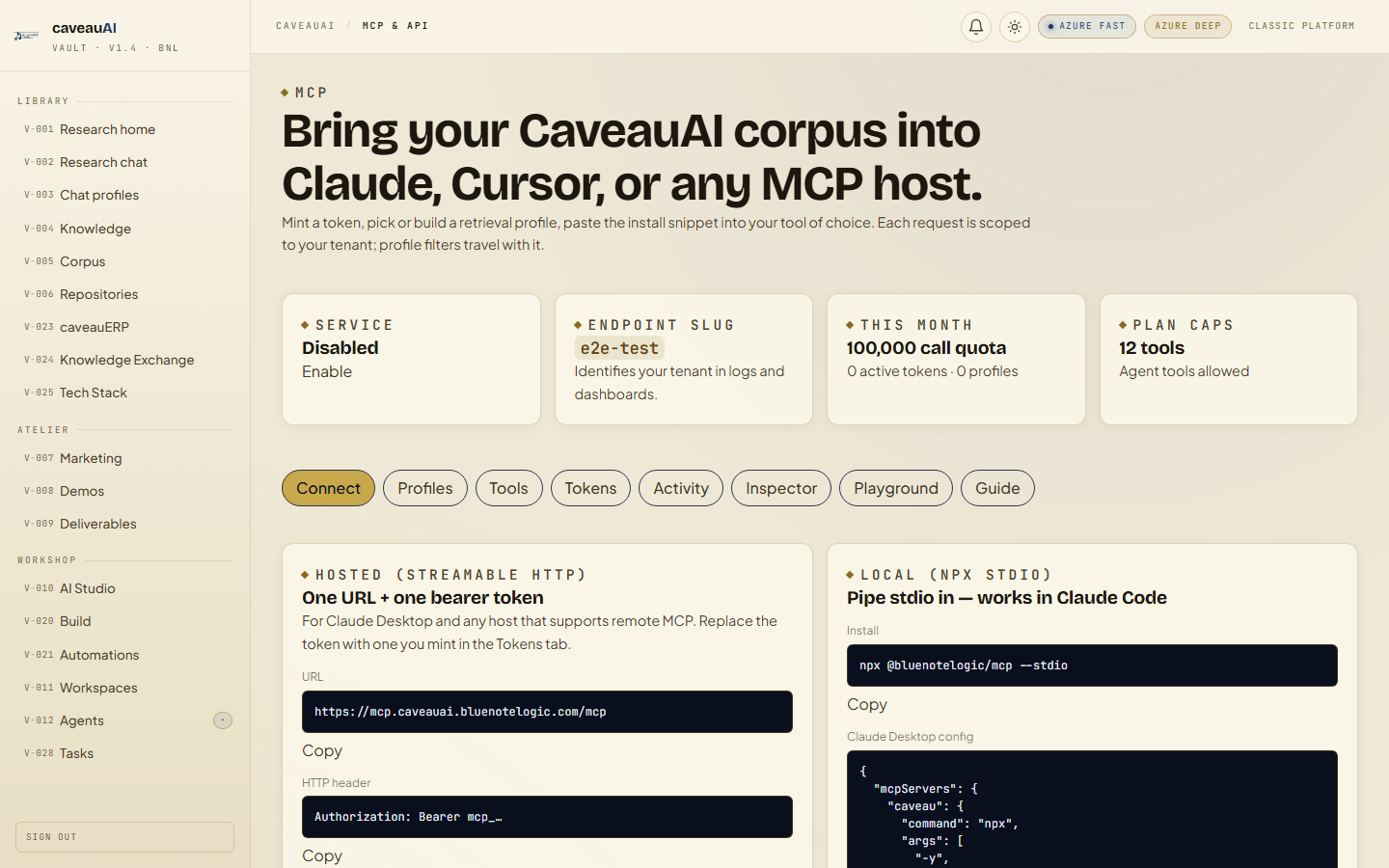
Tabs and sub-tabs
The page may expose these sub-areas. Use this list as the quick orientation map before writing internal SOPs.
ConnectProfilesToolsTokensActivityInspectorPlaygroundGuide
Tips and common mistakes
- Treat MCP tokens like passwords; the plaintext is shown once.
- Prefer one token per host so revocation is precise.
- Use Inspector only when debugging because it can capture detailed JSON payloads.