
User Guide
Memory Health
Corpus-ops dashboard for the persistent agent memory corpus: counts by type, repo, and tool; stale-note detection; a credential-pattern policy scanner; and vector-based near-duplicate detection.
Hands-on workflow
- 1
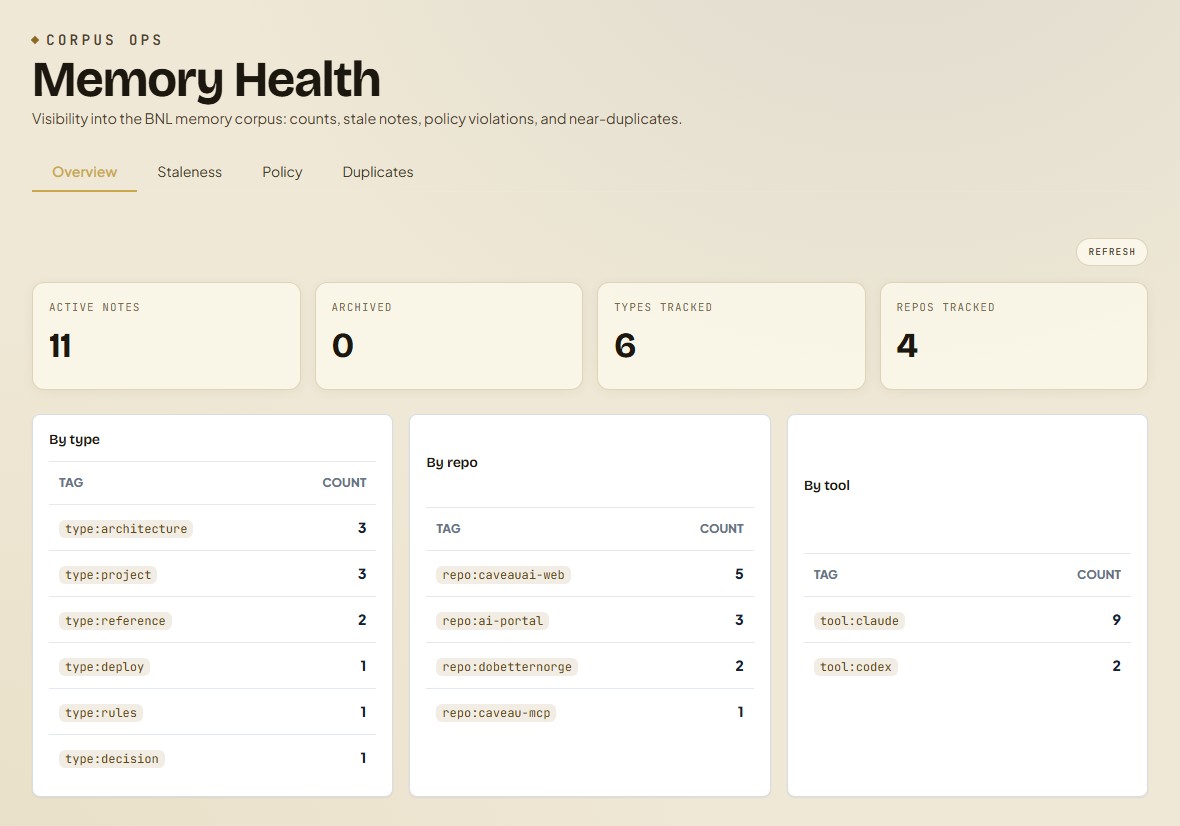
Open Memory Health and read the Overview plates for active note count and the type, repo, and tool breakdowns.
- 2
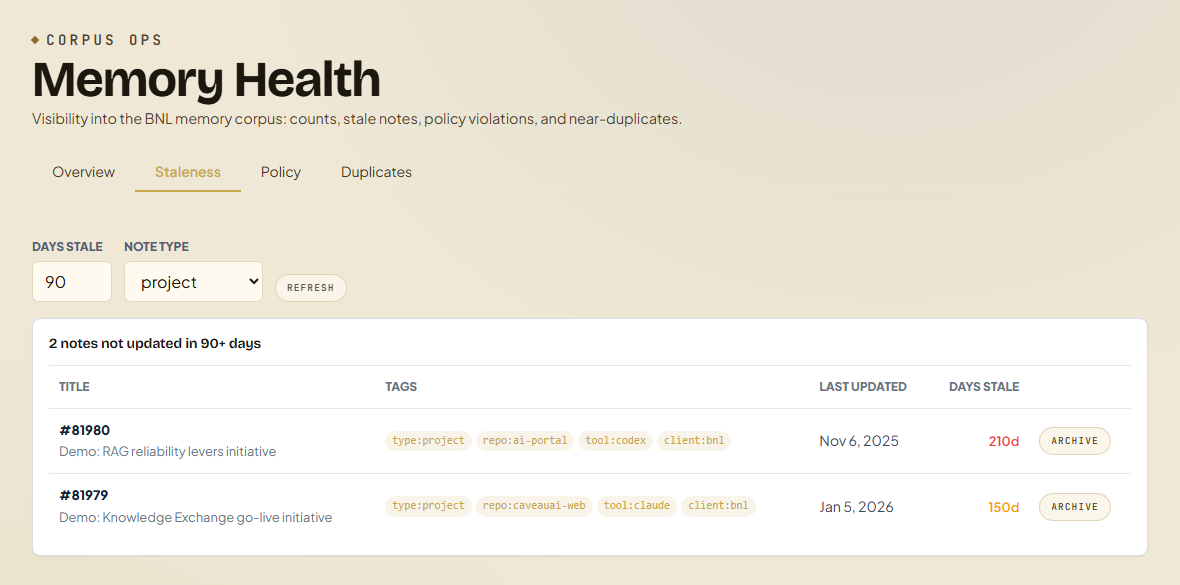
Switch to Staleness, choose a note type and a day threshold, then archive notes that are no longer accurate.
- 3
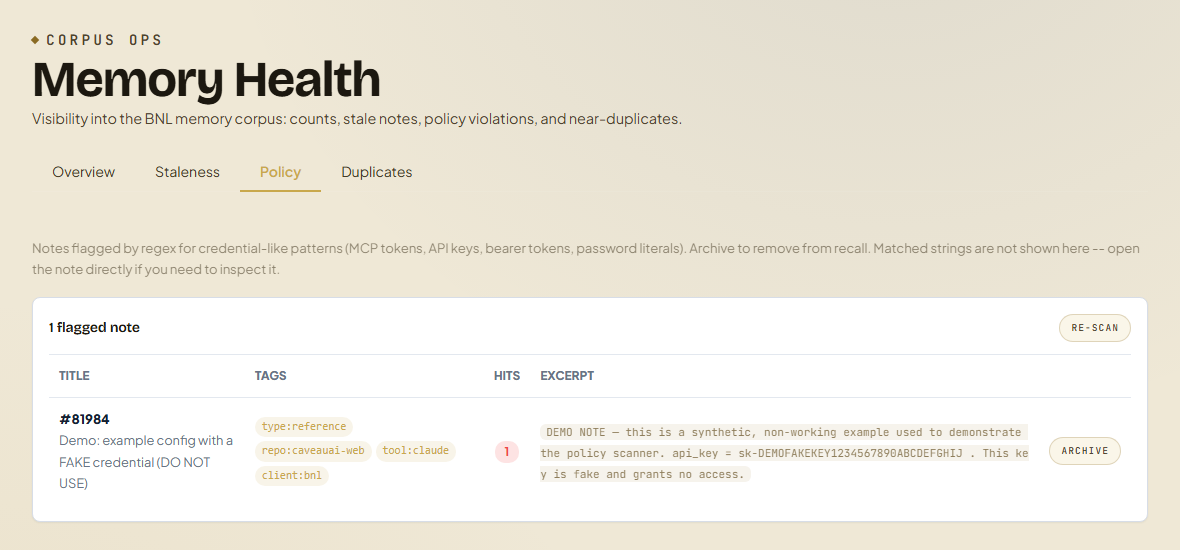
Open Policy to review notes flagged for credential-like patterns; archive any that should not be in searchable memory.
- 4
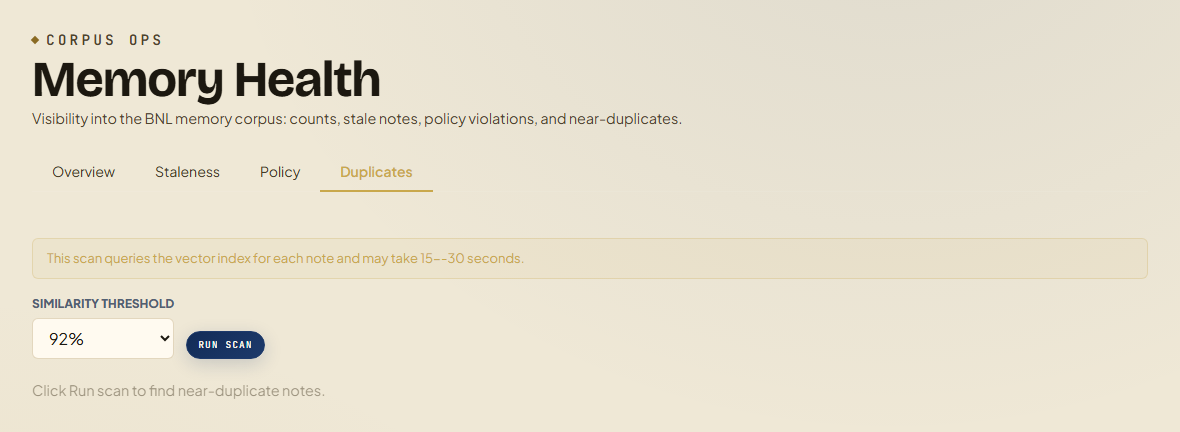
Use Duplicates to run a vector similarity scan and archive the weaker note in each near-duplicate pair.
Screen-by-screen
Cropped captures of each tab, taken from a sanitized test workspace.
Tabs and sub-tabs
The page may expose these sub-areas. Use this list as the quick orientation map before writing internal SOPs.
Tips and common mistakes
- Staleness defaults to project notes at 90 days; widen the type filter to all types for a full sweep.
- The policy scanner reports a hit count and excerpt but never prints the matched secret -- open the note to inspect.
- The duplicate scan queries the vector index per note and can take 15-30 seconds; it is intentionally manual.
- Archiving is reversible at the data layer: the row is retained for audit and only dropped from recall.