
User Guide
AI Studio
Credit-billed AI compute tools for GPU inference, transcription, data generation, and job history.
Hands-on workflow
- 1
Use Inference for GPU chat jobs and review estimated credits before submit.
- 2
Use Transcribe for audio and save finished transcripts to Corpus when needed.
- 3
Use Data Gen to create question-answer pairs from source instructions.
- 4
Open History to inspect previous jobs, status, and results.
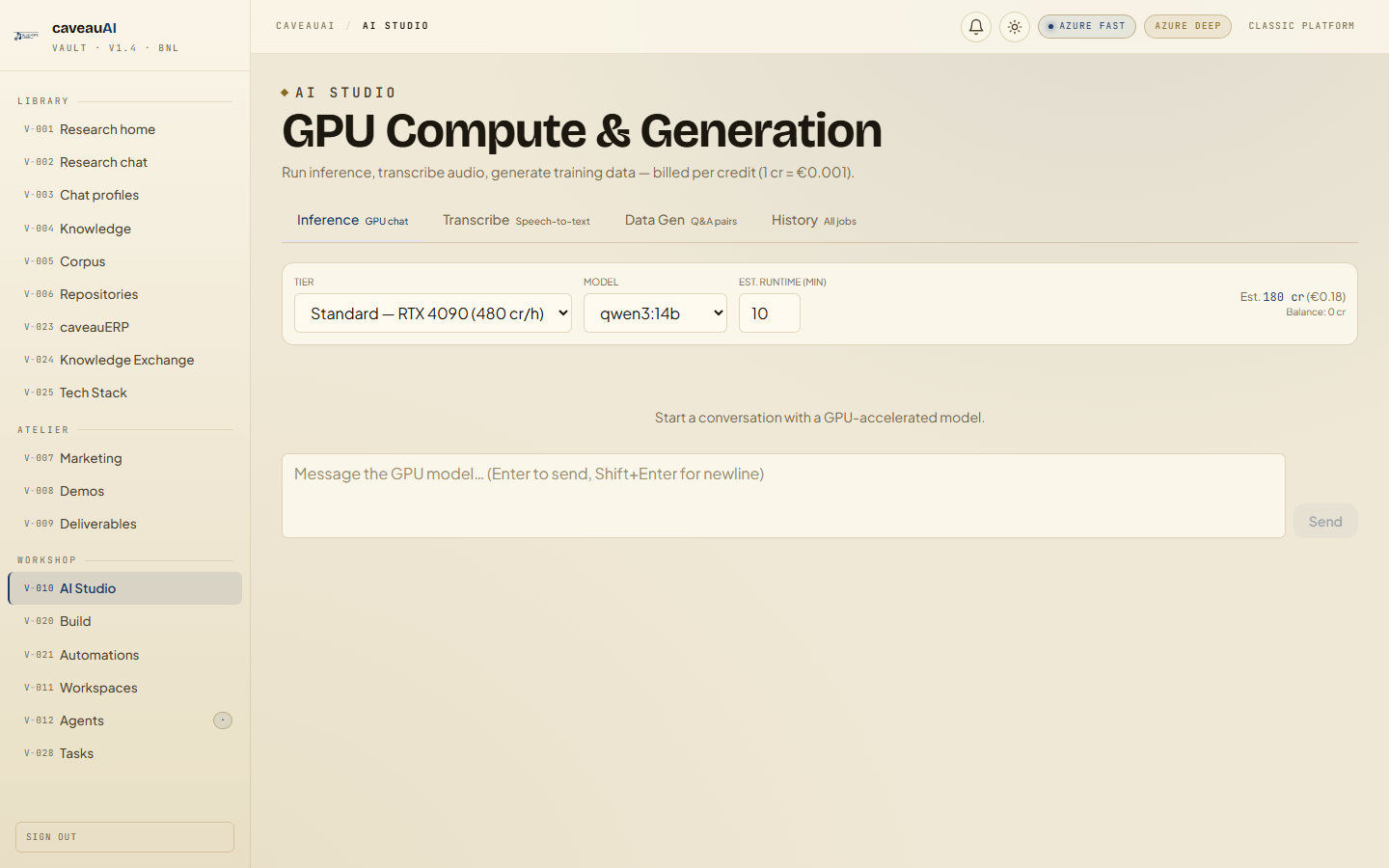
Tabs and sub-tabs
The page may expose these sub-areas. Use this list as the quick orientation map before writing internal SOPs.
InferenceTranscribeData GenHistory
Tips and common mistakes
- Treat credit estimates as preflight guidance; final cost depends on actual processing.
- Use Save to Corpus for durable outputs that should become searchable.
- Transcription quality depends heavily on audio quality and language choice.